
Why Your Sports Club Needs a Mobile-First Website

Many parents, coaches and players reach a club website on their phones, often in a parking lot, at the side of a field or in a pickup line. A mobile-first website is designed for that situation from the start, so registering, checking a schedule and paying a fee all work on a small screen without zooming or sideways scrolling.
This guide is for club administrators, league leaders and board members deciding whether their current site is good enough on a phone. You'll see where desktop-first sites tend to struggle, what mobile-first design changes for families, and how to test your own site in about five minutes.
Why a site can look fine in the board meeting and still frustrate parents
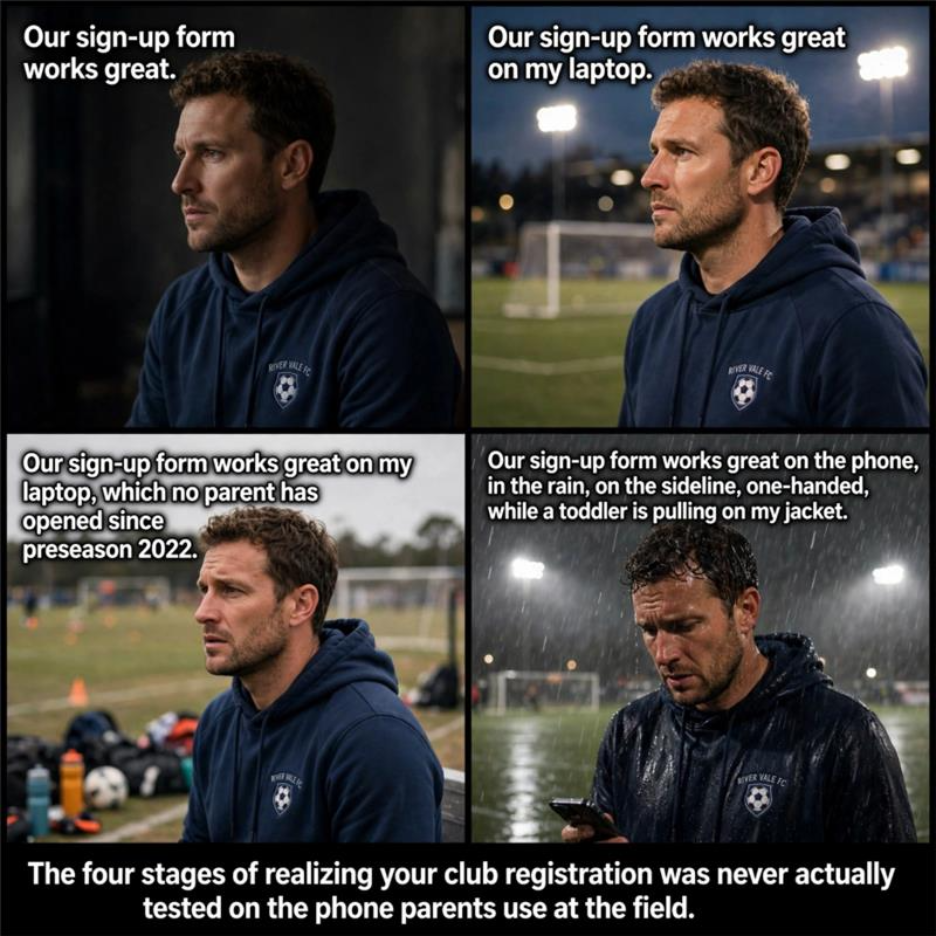
A lot of club websites are built, reviewed and approved on a laptop. Everyone in the room sees a clean layout and signs off. Then families open it on a phone, in a very different setting, and the experience isn't the same.
Here are three moments many club volunteers will recognize. They're illustrative, not drawn from a specific club.
- A mom opens the registration page while waiting in the school pickup line. The form fields are small and close together, so she taps the wrong birth year from the dropdown and has to go back and fix it.
- A dad is watching his younger child's practice and wants to know where Saturday's game is. The schedule is a wide table, so he pinches, zooms and scrolls sideways just to match the time to the field.
- A coach tries to pay a tournament fee between drills. The pay button sits below the visible part of the screen and he doesn't spot it. He decides to do it later, and someone ends up chasing him for it the following week.
None of this comes from careless planning. A site can be "responsive," meaning the layout resizes to fit a smaller screen, and still be designed around a desktop first. Mobile-first design starts from the opposite end. It assumes one hand, a small screen, glare or dim light, a patchy signal and about thirty seconds of attention, then builds the desktop version from there.
What a clumsy mobile site can cost during a season
Unfinished registrations. A parent who struggles with a form on her phone won't always go find a laptop to finish it. She may close the tab and mean to come back. Sometimes a reminder email catches her at a better moment. Sometimes nothing does.
Volunteer time. When the schedule is hard to read on a phone, parents ask someone instead. They text the team manager, post in the group chat or call the club number, which often rings a volunteer's personal cell. The same question can come in from several families every week.
First impressions. New families often find a club through a link shared in a text or on social media, so their first visit is likely to be on a phone. If that visit feels awkward, it shapes their view of the club before they've read a word about your programs.
The pattern is easy to miss. Forms get started and not finished, and the same questions keep coming in about information that's already on the website. Boards often respond by adding more content, when the real problem is how that content works on the screen people are holding.
Your own data will tell you how much this applies to your club. Check the device breakdown in your website analytics to see what share of visits come from phones, and compare how many registrations get started with how many get completed.
What mobile-first design actually changes
Mobile-first is less about looks and more about whether people can get things done. These are the four areas where it makes the biggest difference for a club.
Registration that works in a spare five minutes. Good mobile forms use large fields with enough space between them, ask only for what's needed, and bring up the right keyboard for each field, such as a number pad for phone numbers. They let the phone autofill names and addresses, show errors next to the field that needs fixing, and keep what the parent has already typed if they need to go back. The fewer taps and the less zooming a form needs, the more likely a parent is to finish it standing in line.
Schedules you can read at a glance. Instead of a wide table, a mobile-first schedule shows each game as a short card or list item: date, time, opponent and venue, with the address linked to a map app. A parent should be able to find Saturday's field in the time it takes to glance at a phone.
Payments that don't wait for a laptop. A short checkout with a clearly visible pay button, few steps and, where your payment provider supports it, phone wallets like Apple Pay or Google Pay. Clear confirmation on screen and by email helps too, so nobody pays twice or wonders whether it went through.
Pages that load on a weak signal. Fields and gyms don't always have good coverage. Compressed images, fewer heavy scripts and lean pages make a real difference when a parent is checking the schedule from the car.
There's a search benefit as well. Google mainly uses the mobile version of a site's content for indexing and ranking (Google Search Central), so information that's hidden or missing on your mobile pages may not count for much in search either.
Area | Desktop-first, resized for phones | Mobile-first, designed for phones | What it means for families |
|---|---|---|---|
Registration form | Small fields and a multi-step layout carried over from desktop | Large, well-spaced fields, autofill and only the questions that matter | Fewer forms left half finished |
Schedule | Wide table that needs pinching and sideways scrolling | Simple list or cards, with venues linked to maps | Fewer repeat questions about times and locations |
Payment | Pay button or steps can sit below the visible screen | Short checkout with a visible pay button and wallet options where available | Fewer late or forgotten payments |
Page speed | Large desktop images and scripts slow pages on mobile data | Lighter pages and compressed images | Pages that load even on a weak signal |
If your club is weighing a new website, the SportsPlus website builder is designed for clubs and leagues and is worth testing on a phone the same way you'd test your current site.
A five-minute phone test any volunteer can run
Grab your phone, step outside if you can, and try to do each of these with one hand and without zooming in. Ask a parent who has never used the site to try it too. They'll spot problems you've learned to work around.
- Registration. Start a registration for a made-up player. Can you tap every field accurately? Does the right keyboard appear? Can you get through without scrolling sideways? Stop before you submit or pay.
- Schedule. Find the time and field for next Saturday's game. Can you read it without pinching or turning the phone sideways? Does tapping the venue open a map?
- Payment. Go to the checkout page for a fee. Is the pay button visible without hunting for it? Count the taps from the fee page to the final confirmation screen.
- Speed. Turn off Wi-Fi and load the schedule page on mobile data. Then run your main pages through Page Speed Insights to see how they perform for real mobile visitors.
If any of these felt awkward, your site was probably designed for a desktop first and adjusted for phones afterward. Write down exactly where you got stuck. That list is the most useful thing you can bring to a conversation with your website provider or a new platform.
Common worries before rebuilding for mobile
"We can't afford a rebuild." For a club funded by registration fees, that's a fair concern. Prices vary with club size and the features you need, so get quotes in writing. Weigh them against what you're losing now in unfinished registrations and volunteer hours.
"We can't risk breaking things mid-season." You don't have to. Plan the switch for a quiet stretch between seasons, and keep the old site running until the new registration and payment pages have been tested on several phones. A platform with ready-made club templates can shorten setup, but the timeline still depends on how much content you need to move.
"Nobody on our board is technical." Look for a platform where volunteers can edit pages, schedules and forms without code, and where the mobile layout is handled by the templates. Ask for a demo and have your least technical volunteer try to update a page during it.
"We're only a two-team club." Size doesn't change how families use the site. Parents at a small club are checking schedules and registering from the same phones as parents at a large association.
"Will we lose our content or registration records?" Ask before you switch. Find out what the provider will migrate, how past registration data is exported or kept, and how old page addresses will redirect to new ones.
Next steps
Run the five-minute phone test this week and write down every point where you got stuck. Check your analytics to see what share of visits come from phones and how many registrations get started but not finished. Then decide whether your current site can be fixed or needs replacing.
After launch, keep an eye on two things: completed registrations compared with registrations started, and how often volunteers get asked questions the website already answers. If both improve, the mobile experience is doing its job.
If you're comparing options, take a look at how the SportsPlus website builder works for clubs and leagues, and run the same phone test on it.
Frequently Asked Questions
What is a mobile-first website?
It's a site designed for phones first, then expanded for larger screens. A responsive site resizes to fit any screen, but it can still be built around a desktop layout. Mobile-first means the forms, schedules and checkout are planned around one-handed use on a small screen from the start.
How much does a mobile-first website cost?
It depends on your club's size and the features you need, so get written quotes. When you compare prices, also count what a hard-to-use mobile site costs you now in unfinished registrations and volunteer time.
How long does it take to switch?
That depends on how much content you're moving and whether the platform has ready-made templates for clubs. Plan the switch between seasons and test registration and payments on several phones before you turn off the old site.
Does a small club really need a mobile-first site?
Yes. Families at a two-team club use their phones the same way families at a large association do. How people use the site matters more than how big the club is.
Will our volunteers need technical skills?
They shouldn't. Choose a platform where volunteers can update pages, schedules and forms without code, and where the templates handle the mobile layout. Have a non-technical volunteer try it during the demo.
How do we know if our site has a mobile problem?
Try to register, find a game location and reach checkout on a phone, using one hand and without zooming. Then check your analytics for the share of phone visits and how many registrations are started but not finished.
Will a mobile-first site increase completed registrations?
There's no guarantee, but a form that's easier to finish on a phone removes a common reason parents give up partway. Compare registrations started with registrations completed before and after the change to see the effect for your club.
What should we ask about support before choosing a platform?
Ask how to reach support, what hours they cover and how fast they respond when registration or payments stop working. Problems during a busy sign-up window need a quick fix, so get the answer before you commit.

Nathan Uppara
Digital Marketing Lead at SportsPlus
Nathan Uppara is the Digital Marketing Lead at SportsPlus, where he helps sports organizations discover better ways to manage registration, payments, scheduling, communication, websites, and mobile apps. He combines his experience in digital marketing and sports technology to create practical content and resources for clubs, leagues, and sports organizations.
Latest in Sports Admins

The Evolution of Sports Websites: Trends for 2026
Oct 23, 202649
AI Chatbots in Youth Sports: 5 Ways They Can Help Your Club
Oct 16, 202645
What Features Should a Youth Sports Club Website Have in 2026?
Oct 9, 202661
What Should a Modern Sports Organization Website Actually Do?
Oct 2, 202667
Why Generic Website Builders Dont Work for Sports Organizations
Sep 18, 202685
Popular in Sports Admins

Top 6 Golf Online Stores
Dec 14, 202311072
Top 5 Tennis Online Stores
Dec 14, 20239120
How American sports programs compare to European sports programs.
Jan 16, 20245880
The All-in-One Playbook for Stress-Free Sports Fundraising
Dec 13, 20232195
Top 10 Sports Website Builders Compared (Why Most Will Cost You Registrations)
Jun 18, 20241603